
Paying your Coign Bill FAQ
Updated
Introduction
There are a few ways to pay your Coign bill: electronically through the mobile app or website, by mail, or through your bank's bill pay service. This article covers where to send mailed payments, what to know about bill pay timing, and how to schedule one-time or recurring payments online.
Where do I mail my payment to?
When mailing in a payment, the correct address to send the payment is:
Coign
PO Box 94382
Seattle, WA 98124-6682
Checks should be made out to MRV Banks, and the 16-digit account number listed on the check as well. We do recommend sending the check in 7-10 business days before the due date to ensure you do not accrue any late/interest fees as well.
I want to make a payment through my bank's bill pay.
When sending in a payment using the bill pay option, the correct address to send the payment is:
Coign PO Box 94382
Seattle, WA 98124-6682
It is important to know that your bank will physically cut a check and mail it to us. The money will come out of your bank account on the day of your request, but it will not be deposited into your Coign account until we receive the check in the mail.
Checks should be made out to MRV Banks, and the 16-digit account number listed on the check as well. We do recommend sending the check in 7-10 business days before the due date to ensure you do not accrue any late/interest fees as well.
Can I pay my bill electronically?
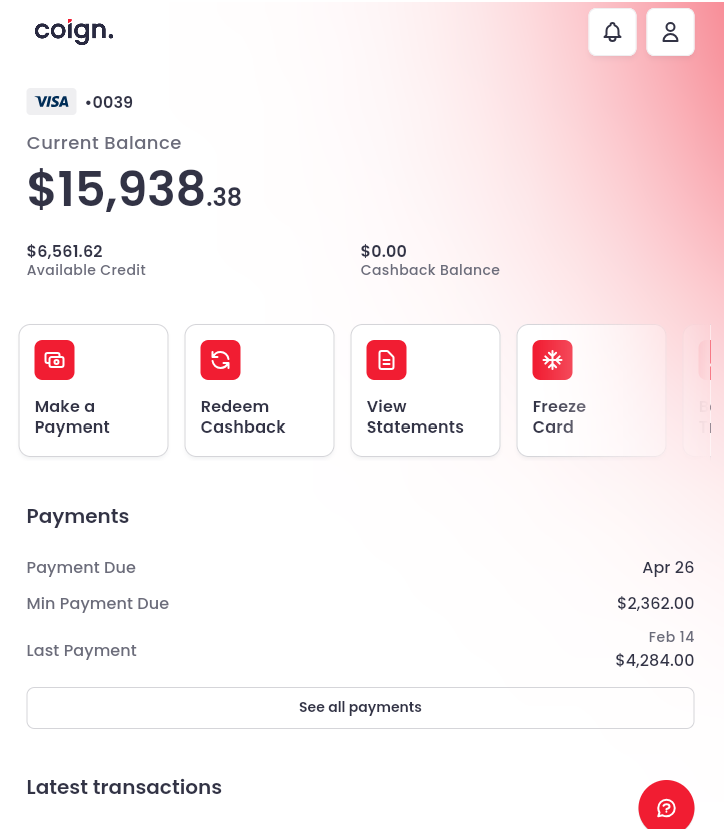
You can! You can schedule your payment through the Coign mobile app, or the website. When on your dashboard, you can click on "Make a Payment".
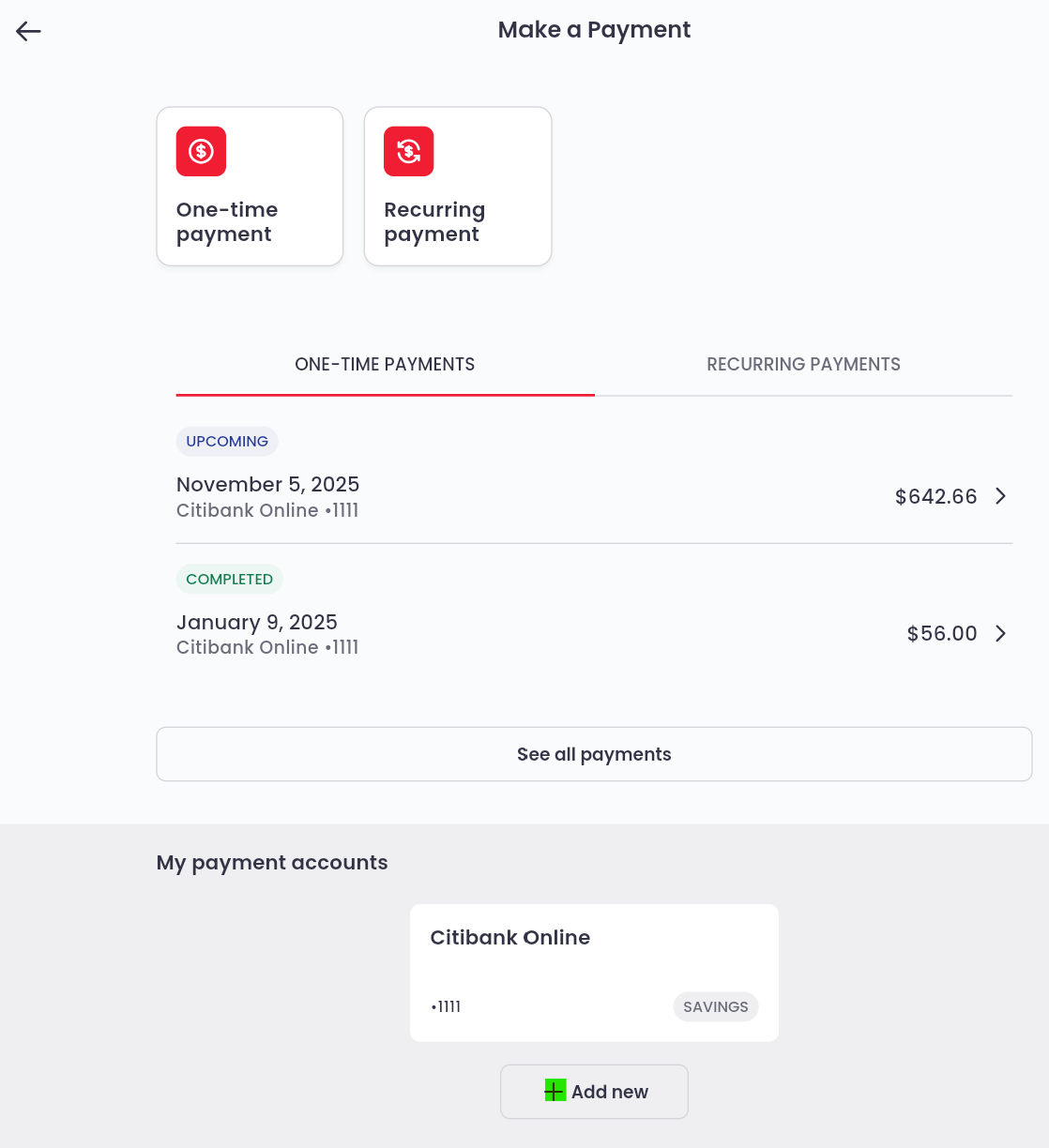
Here, you will have the option to make a one-time payment, or a recurring payment. If you have not added a bank to your online account, you can do so by selecting add new at the bottom of the page. All payments made through Coign are processed as an ACH.
For more information on the types of payments you can make, click here.